Custom Permalinks for Publii
A downloadable tool
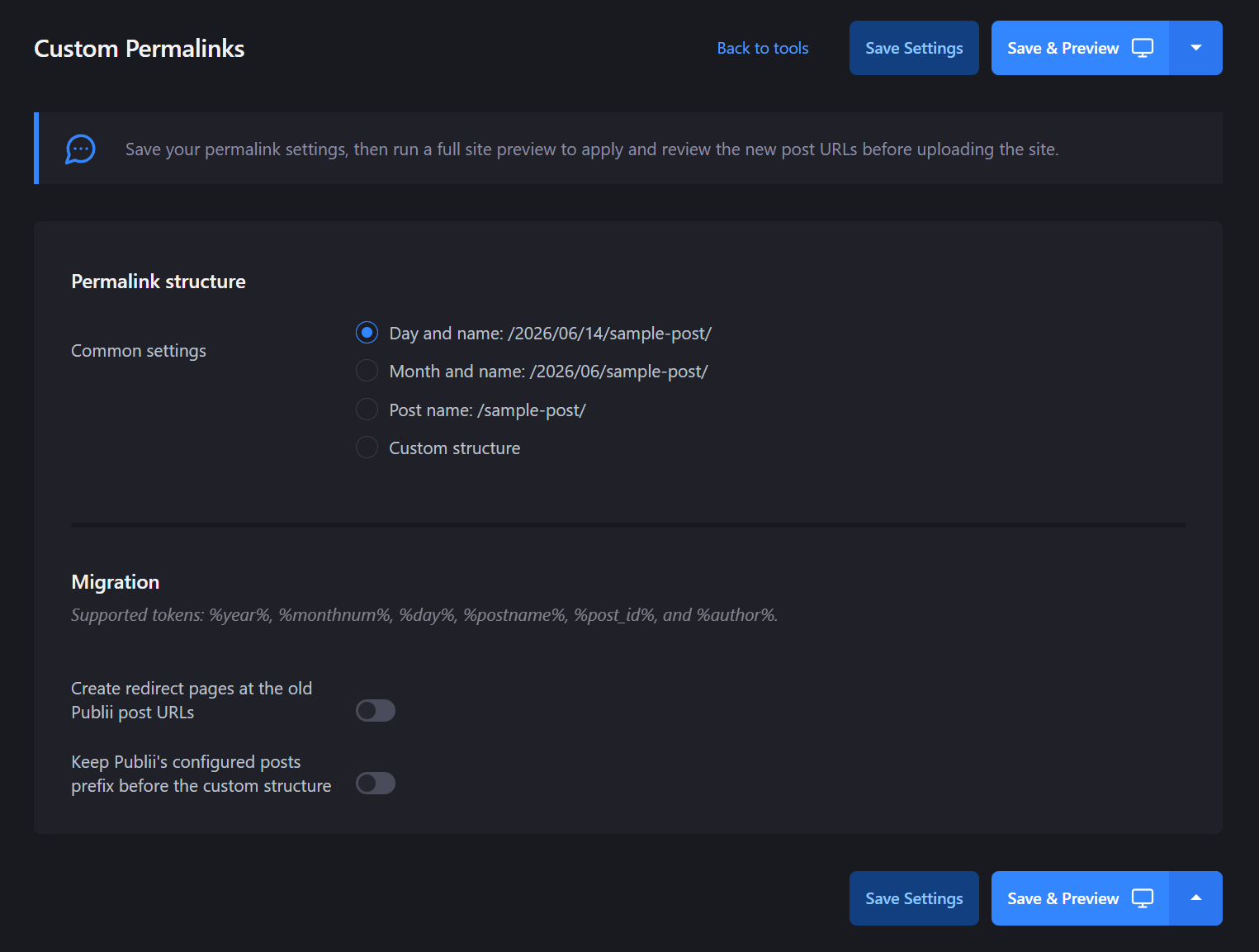
Custom Permalinks is a site-scoped Publii plugin that lets you generate WordPress-style URLs for posts.
It is useful if you are moving a blog from WordPress to Publii, keeping an older URL structure intact, or simply prefer predictable date-based post links.
By default, the plugin uses this structure:
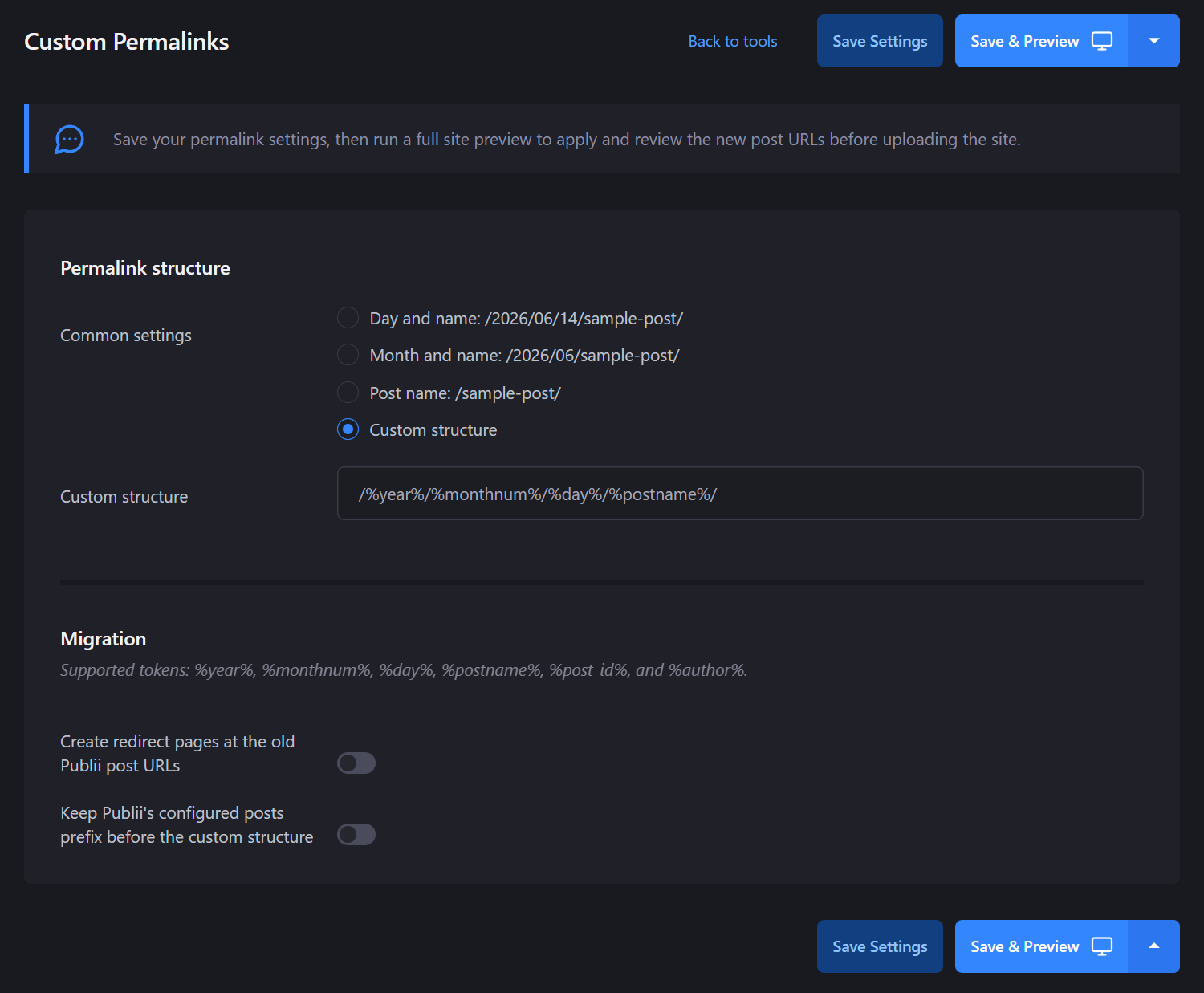
/%year%/%monthnum%/%day%/%postname%/
For example:
/2026/06/14/my-post-title/
The selected permalink structure is applied whenever Publii previews or renders the site. It works for both existing posts and future posts. It is independent of importing, so you do not need to use a WordPress import workflow for the plugin to apply its URL structure.
Features
- Generate WordPress-style post URLs in Publii
- Works with existing and future posts
- Site-scoped plugin configuration
- Applies during Publii preview and site rendering
- Supports date-based, author-based, post ID, and post slug URL structures
- Optional legacy redirect pages for static hosting workflows
Supported tokens
You can build custom post URL structures using:
%year%%monthnum%%day%%postname%%post_id%%author%
Default structure:
/%year%/%monthnum%/%day%/%postname%/
Example structures:
/%year%/%monthnum%/%postname%/ /posts/%postname%/ /%author%/%postname%/ /archives/%post_id%/%postname%/
Installation
- Download
custom-permalinks.zip. - Open Publii.
- Install the plugin through Publii's plugin installer.
- Enable Custom Permalinks for the site.
- Configure it under Tools > Custom Permalinks.
Important setup notes
Keep this enabled in Publii:
Site Settings > Advanced Options > URLs > Clean URLs
A non-empty tags prefix, such as tags, is recommended. This is because Publii's sitemap generator treats every top-level directory as a tag when the tags prefix is empty. Using a tags prefix helps avoid conflicts with generated permalink paths.
After changing your permalink structure
After changing the URL structure:
- Create a full preview.
- Check the generated URLs.
- Upload the entire generated site again.
This is important because changing permalink structures affects where posts are generated.
About redirects
The plugin can create optional legacy redirect pages. These are HTML redirects suitable for static hosts such as GitHub Pages. They are not HTTP 301 redirects. For true HTTP 301 redirects, you will need redirect support from your hosting provider or server configuration.
License
One purchase gives you the plugin for your own personal or commercial websites.
Redistribution, client transfer, agency redistribution, modification, sublicensing, and resale are not permitted without prior written permission. For client or agency licensing, please contact the copyright holder.
See LICENSE file in the archive for the complete End User License Agreement.
Support
For bugs, installation issues, or compatibility problems, leave a comment on the product page with:
- Your Publii version
- Your permalink structure
- Your hosting setup
- A short description of what happened
I'll try to help where possible.
Disclaimer
Custom Permalinks changes how Publii generates post URLs during preview and rendering. Before using it on a live site, make a backup of your Publii site and test the generated output with a full preview.
Changing permalink structures can affect existing links, bookmarks, search engine results, analytics history, feeds, sitemaps, and any external pages that link to your posts.
The optional legacy redirect pages are static HTML redirect pages. They are provided as a convenience for static hosting setups such as GitHub Pages, but they are not HTTP 301 redirects and may not be treated the same way by browsers, crawlers, or search engines.
This plugin does not guarantee SEO preservation, search ranking continuity, or automatic migration from WordPress. For production migrations, check your generated URLs carefully and use server-level or host-level redirects where available.
Use at your own risk.
Purchase
In order to download this tool you must purchase it at or above the minimum price of $9.99 USD. You will get access to the following files:
Leave a comment
Log in with itch.io to leave a comment.